Engineering
How we built AI prioritization — without making it feel like AI
AK
Alex Kim
Co-founder & CEO, Focusly
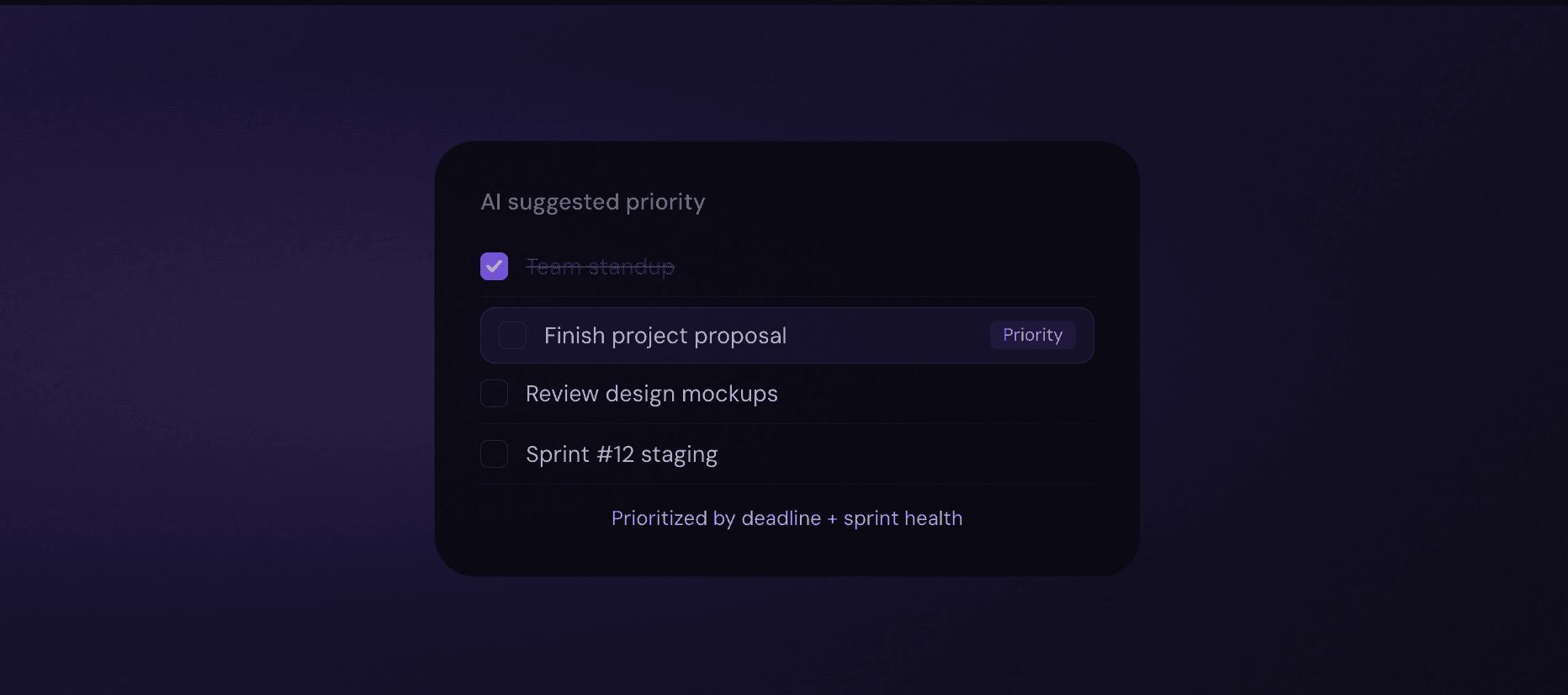
When we first talked about building AI prioritization into Focusly, the initial reaction from our team was sceptical. Not because AI can't help with prioritization — it clearly can. But because every AI feature we'd seen in productivity tools felt like AI. It announced itself. It explained its reasoning. It asked you to trust it. And that friction was exactly the problem.
Good prioritization should feel like common sense. When you look at your task list and one item clearly needs to happen first today, you don't want an AI assistant explaining why. You just want it at the top, obvious, ready to start. The goal was to build something that people would use without thinking about it as a feature at all.
The prioritization problem is actually a signal problem
We started by mapping out everything we knew about a task at any given moment: its deadline, its sprint association, how long similar tasks historically took the user to complete, how many days it had been sitting untouched, whether it was blocked by another task, and what the current sprint health score was.
Each of these is a weak signal. None of them alone tells you what to work on. But combined, weighted appropriately, and updated in real time, they produce a priority score that turns out to match human judgment surprisingly well — without requiring any input from the user.
The key insight: We're not trying to predict the "objectively correct" priority. We're trying to predict what the user would prioritize themselves if they had 10 minutes to think clearly about it. Those are different problems, and only the second one is solvable.
What the model actually looks at
Days until deadline — the most obvious signal, but not the dominant one
Sprint health contribution — tasks on the critical path for a struggling sprint get boosted
Historical completion velocity — if you always do certain task types faster in the morning, they surface then
Idle time — tasks that have been sitting untouched for more than 2 days get a visibility boost
Explicit priority flag — if you manually marked something as priority, it stays weighted heavily regardless of other signals
What we deliberately left out
We spent almost as long deciding what not to include as what to include. Complexity estimates are the obvious one — they seem like useful prioritization input but they require user effort to set and tend to be wrong in ways that corrupt the priority signal.
We also left out team-level signals for individual prioritization. Knowing that your colleague is blocked on something you could unblock is useful — but surfacing that as a priority override felt like it would erode trust in the system. People need to feel that their personal priority list reflects their work, not a coordination algorithm.
Making it feel like common sense
The interface decision was as important as the model decision. We made one rule: the AI result is never labelled as AI. There's no "AI suggests" badge, no explanation popover, no confidence score. The task simply appears at the top of the list with the Priority tag — exactly as if you'd manually set it there yourself.
This turned out to be the most important product decision in the whole feature. In user testing, people who knew they were looking at AI suggestions evaluated them more skeptically than people who thought they were looking at their own previous prioritization. Same output. Different trust levels. The label was doing real damage.
By removing the label entirely, we removed the doubt. Users interact with the priority list as if it's their own — because in a meaningful sense, it is. The model learned from their behavior. It's reflecting their patterns back at them.
Results after 6 months
Teams using AI prioritization complete their top-priority task before noon 68% more often than teams without it. Sprint health scores for AI-prioritization users average 11 points higher. And when we survey users, most of them don't mention AI prioritization as a feature they're using — they just say the app helps them know what to work on. That's exactly what we were aiming for.
Ready to do your
best work?
Join 2,400+ teams already using Focusly to focus, ship, and stay in control.
©2026 Focusly. Powered by Framer
Designed by Riyad Sbeitan